
Dating Intel
Hinge Profile Review
Hinge profile review in GP starts with a few screenshots. You get a Profile Strength score, a call on every photo and better prompt answers in your voice.

 On a computer? Scan with your iPhone camera.
Your first Hinge review is free. GP Pro includes 10 profile reviews a month.
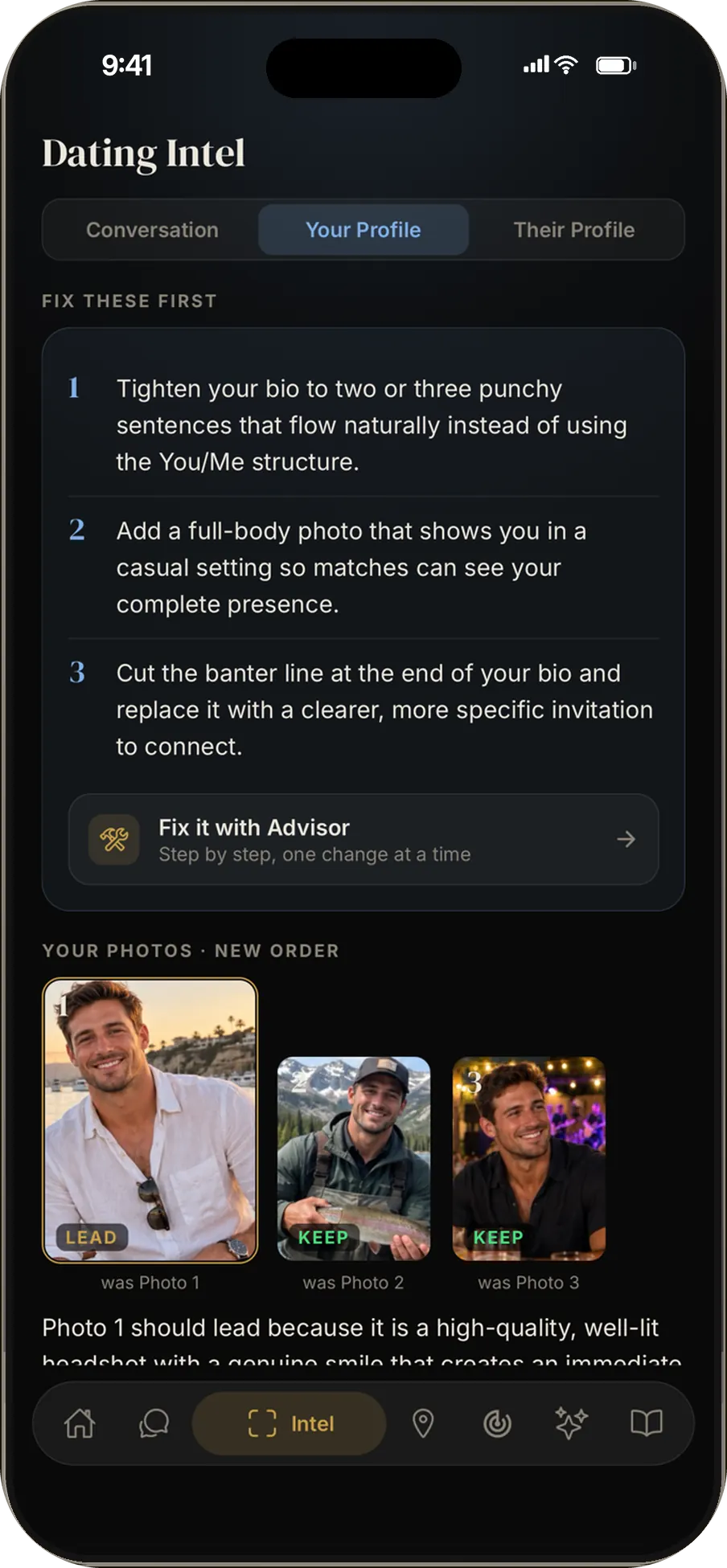
- Upload your Hinge screenshotsYour photos and prompt answers, the way a match scrolls them.
- See your Profile StrengthOne score for how well the whole profile works together.
- Fix it in orderA short list that starts with the change that matters most.
Rate my Hinge profile: what the review looks at
A Hinge profile mixes photos with prompt answers, and people scroll through both before they like or skip. So this AI Hinge profile review reads them together, not one at a time.
Take screenshots of your profile from top to bottom and upload them to Your Profile in GP. You get a Profile Strength score, a call on each photo and a list of what to change first.
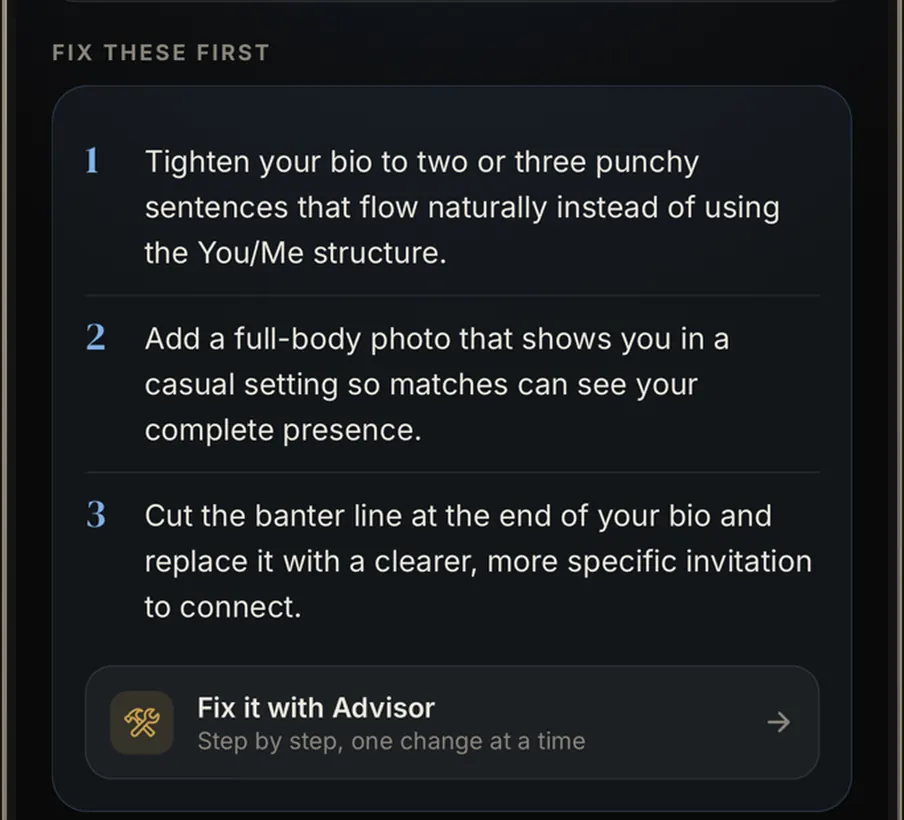
- What to fix first, in order
- Fix it with Advisor, one change at a time
Which Hinge photo should go first
Every photo gets one of four calls: Lead, Keep, Move or Cut. Lead marks the photo that should open your profile. Move flags a good photo sitting in the wrong spot.
On Hinge, a photo can sit next to a prompt, so order matters more than it looks. The review gives you a suggested order for the photos you already have, so you may not need a new photo shoot.
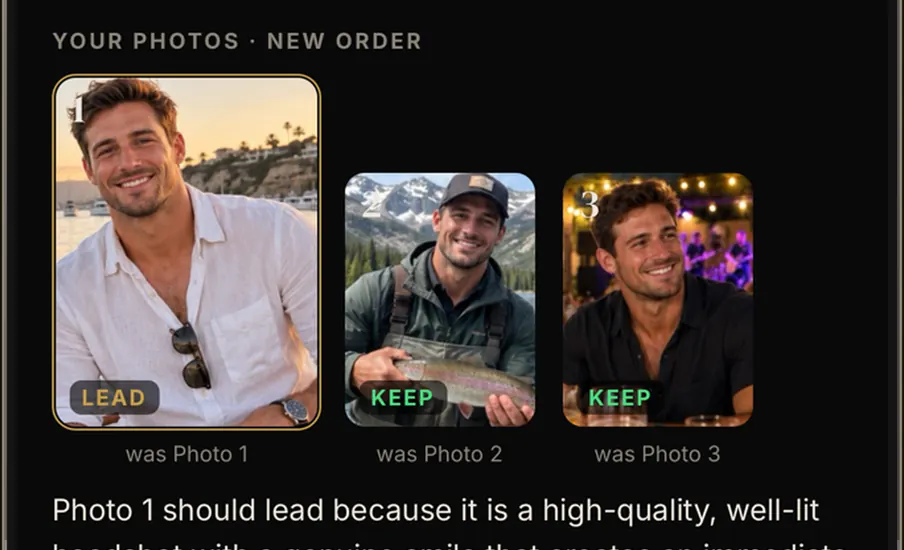
- A recommended photo order
- A call on every photo
- A reason for each call
Hinge prompts that give people something to reply to
A prompt answer works when someone can reply to it. Vague answers leave them nothing to say back.
GP offers stronger prompt answers written in your own voice. You pick what fits, edit it and paste it into Hinge yourself.
Want to talk a prompt through first? GP Advisor already has your profile loaded, so you can ask why one answer beats another.
Hinge profile tips for guys, in the order to fix them
Here is a simple order to work through when your review comes back:
- Lead photo. Open with the photo marked Lead.
- Cut what hurts. Remove any photo marked Cut, even a favorite.
- Prompt answers. Swap a vague answer for one with a detail someone can ask about.
- Order. Move photos into the suggested order, then check your score again.
Fix Mode walks you through these one at a time, and the score updates after each change.
Questions
How do I get my Hinge profile reviewed?
Screenshot your Hinge profile from the first photo to the last prompt. Open Dating Intel in GP, choose Your Profile and upload the screenshots. The review comes back with a score, photo calls and a fix list.
Which Hinge prompts should I answer?
Pick prompts you can answer with a real detail: a place, a habit or a story someone could ask about. Your Profile then suggests better ones to choose from.
Can ChatGPT review my Hinge profile?
A general chatbot can comment on a screenshot you paste in. GP is built for dating profiles: it scores the whole profile, makes a call on every photo and keeps your notes for the conversations that follow.
I also use Tinder. Does it work there?
Yes, on any dating app you can screenshot. The Tinder profile review shows how it reads a photo-first profile.
Can GP read a Hinge profile I matched with?
That is a different tool. Their Profile reads a match's profile and suggests openers built on what they shared.
Can I try the Hinge review for free?
Yes. You get 1 profile review on the free plan, and GP Pro raises that to 10 a month. The pricing page lists everything in each plan.
Review your Hinge profile
Get GP, screenshot your Hinge profile top to bottom and find out which prompt needs work first.
On a computer? Scan with your iPhone camera.