
Dating Intel
Your Profile: Dating Profile Review
Your Profile is the dating profile review inside The Gentlemen's Playbook. It scores your profile, makes a call on every photo and walks you through each fix.

 On a computer? Scan with your iPhone camera.
The free plan includes 1 profile review. GP Pro includes 10 a month.
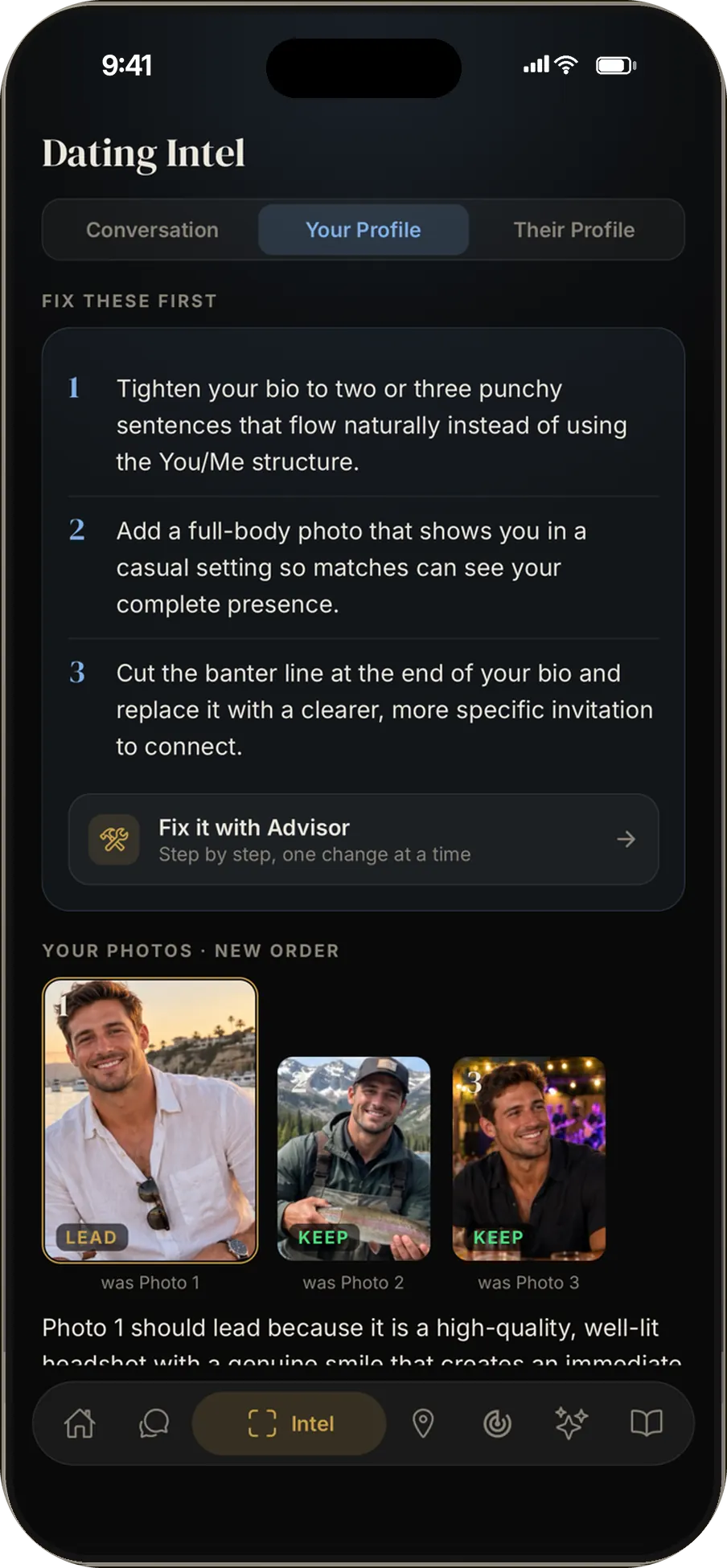
- Profile Strength scoreOne score for how well the whole profile works.
- A call on every photoLead, Keep, Move or Cut, with a reason for each.
- Fix it step by stepA checklist of changes, plus better prompts and bio options.
Rate your dating profile with Profile Strength
Upload screenshots of your profile from Hinge, Tinder, Bumble or any other dating app, and Your Profile analyzes it. Profile Strength scores how well the profile works as a whole, including your photos, your prompts and how clearly it shows who you are.
It measures how well the profile does its job, never how attractive you are. A short list tells you, in plain words, what to fix first.
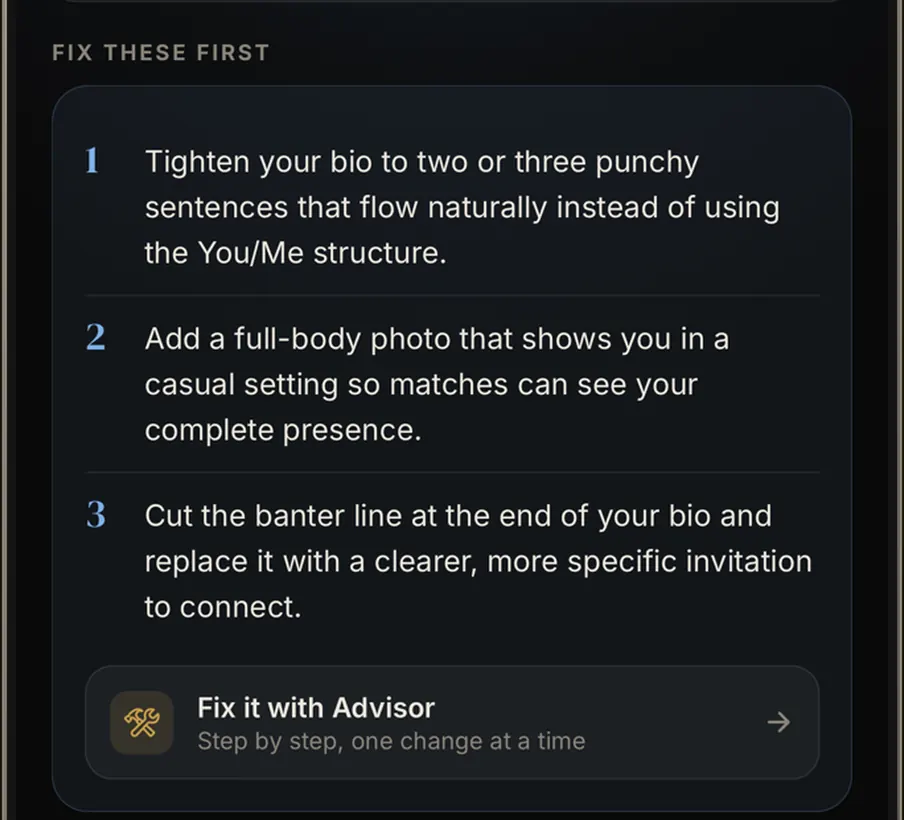
- What to fix first, in order
- Fix it with Advisor, one change at a time
Lead, keep, move or cut: a call on every photo
Every photo gets a clear call instead of a number, with a short reason why.
- Lead is your best opener, so it goes first.
- Keep means the photo is doing its job.
- Move means a good photo in the wrong spot.
- Cut means it hurts more than it helps.
You also get a recommended photo order for what you already have.
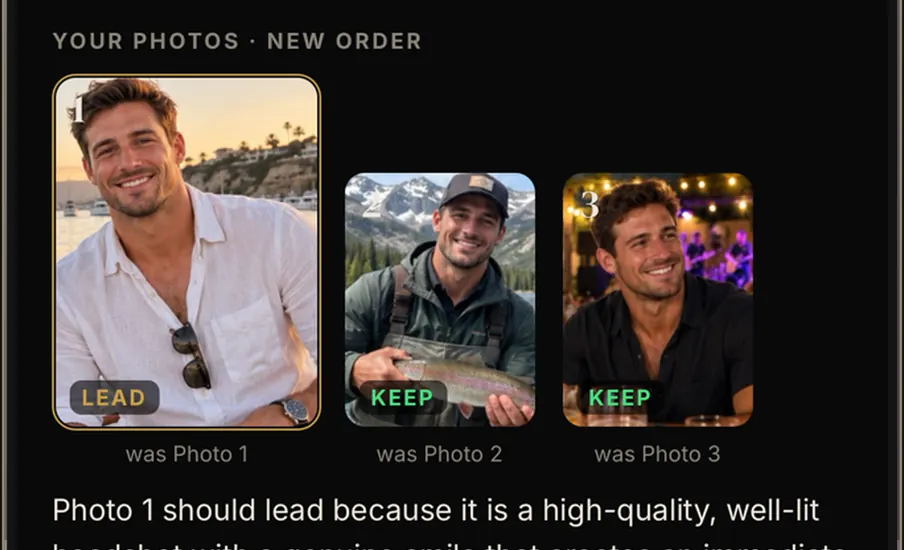
- A recommended photo order
- A call on every photo
- A reason for each call
Fix Mode, one change at a time
Fix Mode turns the review into steps you work through one change at a time, like swapping a photo or rewriting a prompt. Your Profile Strength updates as you go, so you see how each change moves the score.
Tap Fix it with Advisor and GP Advisor walks you through each change with your profile already loaded.
Better prompts and bio options in your own voice
Your Profile also gives you stronger prompt answers and bio options written in your own voice. The goal is a profile that sounds like you on a good day, not a template everyone else copied.
Questions
How do I get my dating profile reviewed?
Open Dating Intel in the app, choose Your Profile and upload screenshots of your profile. GP scores the whole profile, makes a call on every photo and lists what to fix first.
How do I make a good dating profile?
Lead with your clearest photo, cut the ones that hurt more than they help, and write prompts that sound like you. Your Profile checks all three for you and gives you a fix list to work through.
Which dating apps does it work with?
Any dating app you can screenshot, including Hinge, Tinder and Bumble. Upload screenshots of your own profile and the review works the same way. See how it reads each app in the Hinge profile review and the Tinder profile review.
Does it rate my looks?
No. Profile Strength measures how well your profile works, never how attractive you are. The photo calls are about which photos help you and where they belong.
Can it rewrite my bio and prompts?
It gives you stronger prompt and bio options written in your own voice. You choose what to use, and you can talk any rewrite through with the Advisor before you change anything.
Does it review the profile of someone I matched with?
Your Profile reviews your own profile only. To read a match's profile and get openers drawn from it, use Their Profile, the next tab in Dating Intel.
Is Your Profile free?
Yes, to start. The free plan includes 1 profile review, and GP Pro includes 10 a month. See pricing for everything in each plan.
See your Profile Strength
Download GP, upload your profile screenshots and find out which photo should lead.
On a computer? Scan with your iPhone camera.